Project work
Tally - a minor Quality of Life financial tracking tool
Tally ( NOTE: All of this data is sanitized, $$-#s are synthetic )
This is available for download and use from: https://github.com/antonizick/tally ( I'm writing the deployment and installation code in the instructions now, I should have the deployment and installation code done within a week.)
So with my latest project I got tired of the same monthly ritual. Download a handful of bank CSVs. Open a spreadsheet. Guess at categories. Update a few account balances.. It was never a crisis, just a recurring hassle. I wrote Tally so that chore would mostly handle itself.
I built a tool called Tally. A personal and family finance dashboard that runs on your own machine. You bring your statements in, keep a running picture of assets and liabilities, and look at spending, net worth the way you actually think about them. There is no account to create and no subscription. Your transactions, balances, and snapshots stay on your system. Nothing is sent off to someone else’s service.
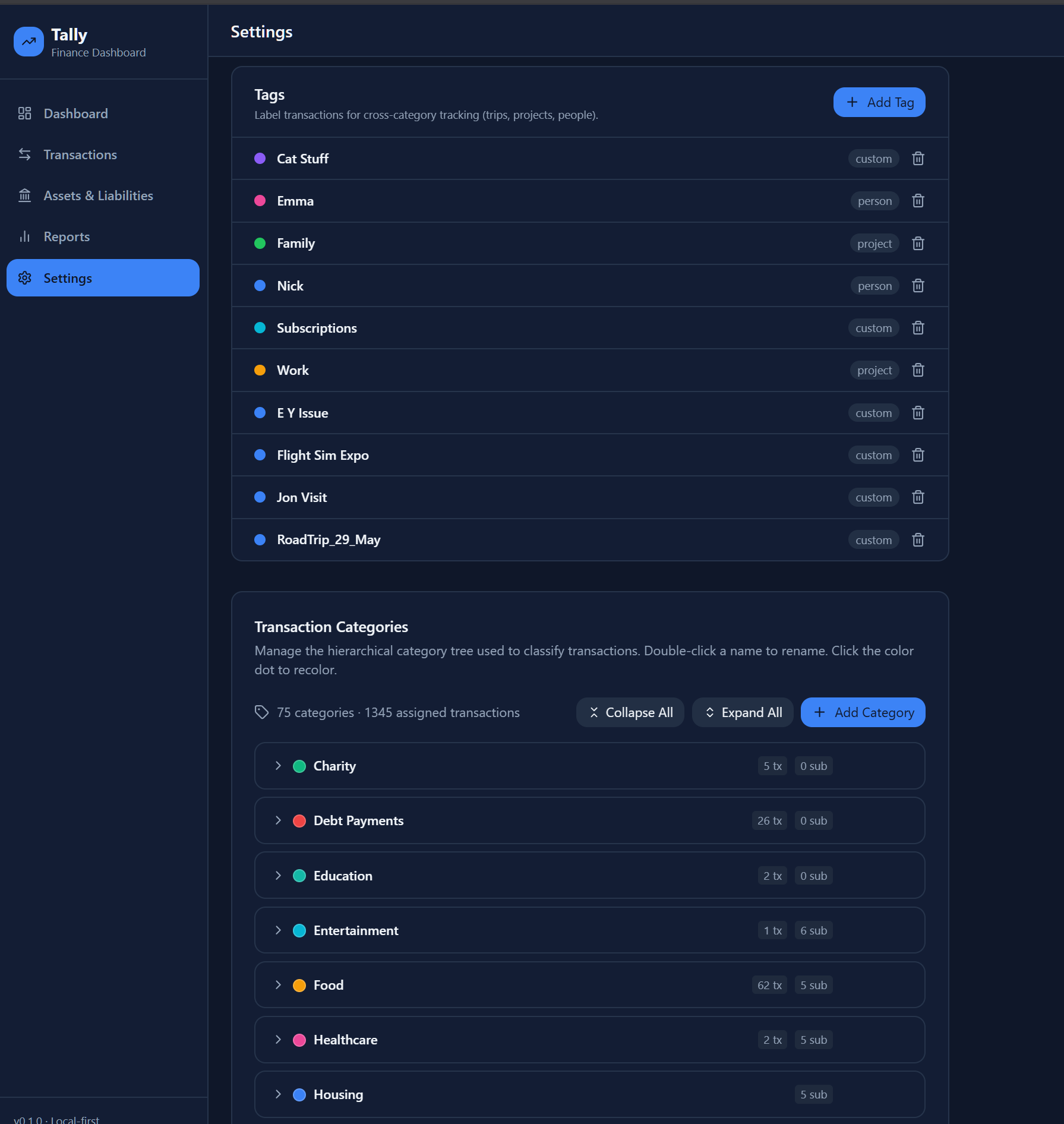
The starting point is the statements you already get from your bank or card. You add an account once, then import a CSV. Tally looks at the file and figures out which columns are the date, the description, and the amount. After the first import for a given bank it remembers the layout, so the next month is mostly drop the file and go. Transactions land in a category tree you can reshape. Double-click a name to rename it, click the color if you want it to look different, add children when a bucket gets too broad. Food, housing, medical, subscriptions, the usual pile, plus whatever odd corners your life actually has.
On top of categories there are tags. Those are for the things that cut across the tree: a person, a trip, a project, the cat. Filter a month by Family or Work and the same transactions rearrange around that slice instead of the category list. That is the part I use when I am not asking what kind of expense this was, but who or what it was for.
When a new batch comes in, Tally can propose categories using a model that runs locally on your machine. Low-confidence rows sit in a review list. Correct a few and it starts to follow the pattern you actually use, which is the only pattern that matters.
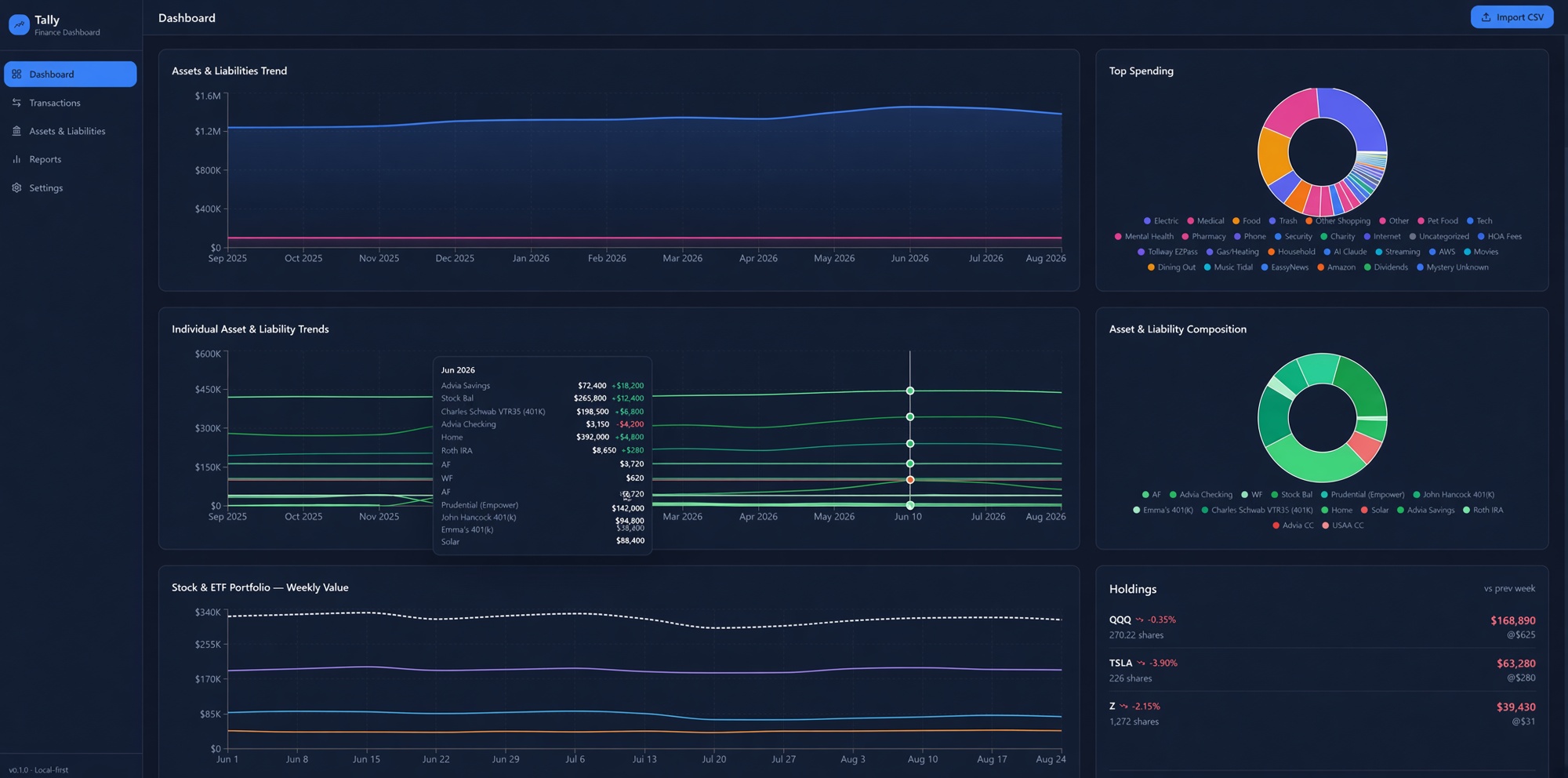
The dashboard is where I spend most of my time after the import is done. A date range at the top, optional tag filters, then the numbers I used to reconstruct by hand.
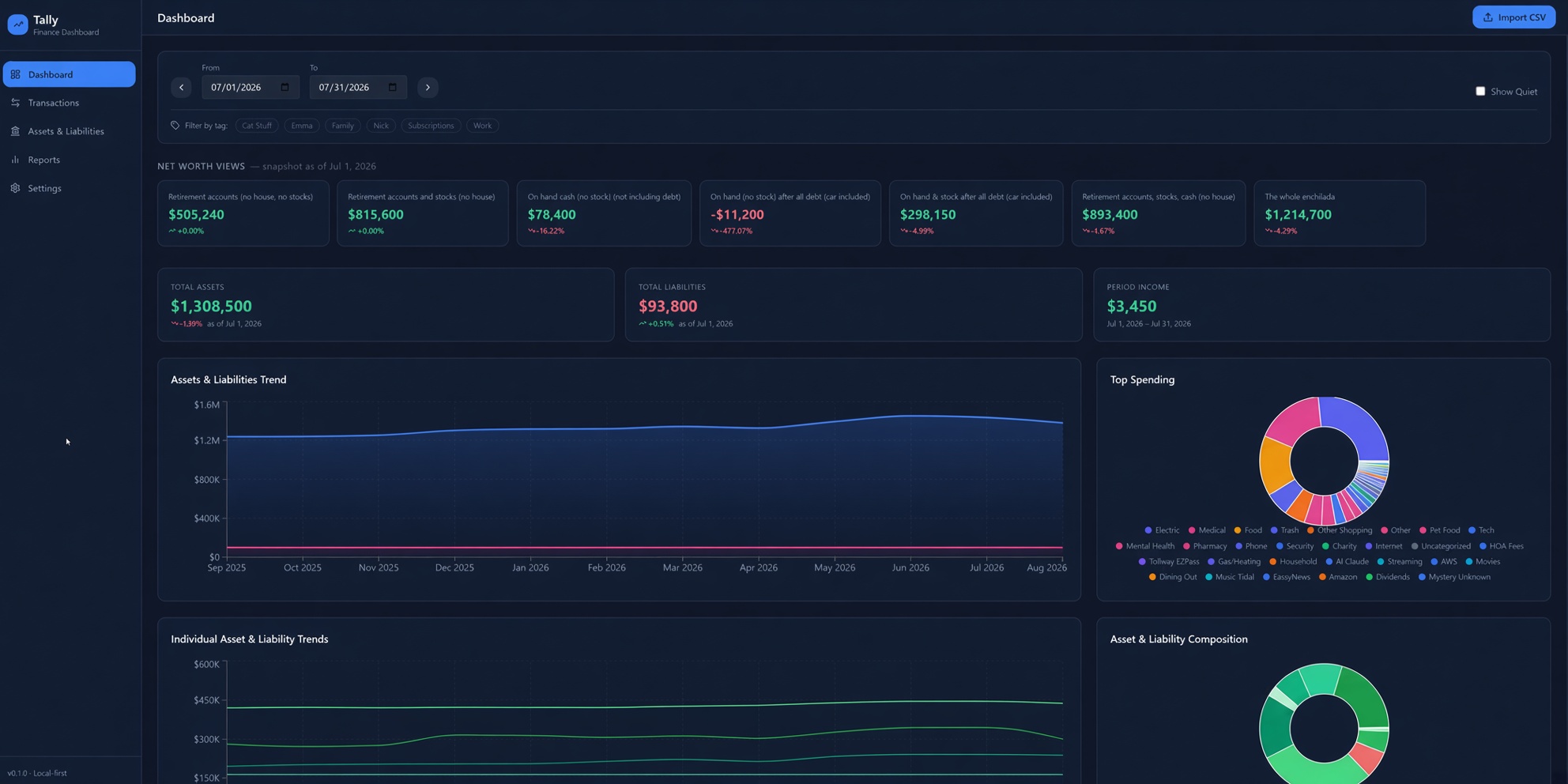
There are seven net worth views, each answering a slightly different question. Retirement accounts only. Retirement plus brokerage, no house. Cash on hand, ignoring debt. Cash after debt. Cash and stock after debt. Everything except the house. The whole pile. I got sick of one giant net worth number that mixed a paid-down mortgage with grocery money. These views let me look at the same snapshot from the angle I care about that day.
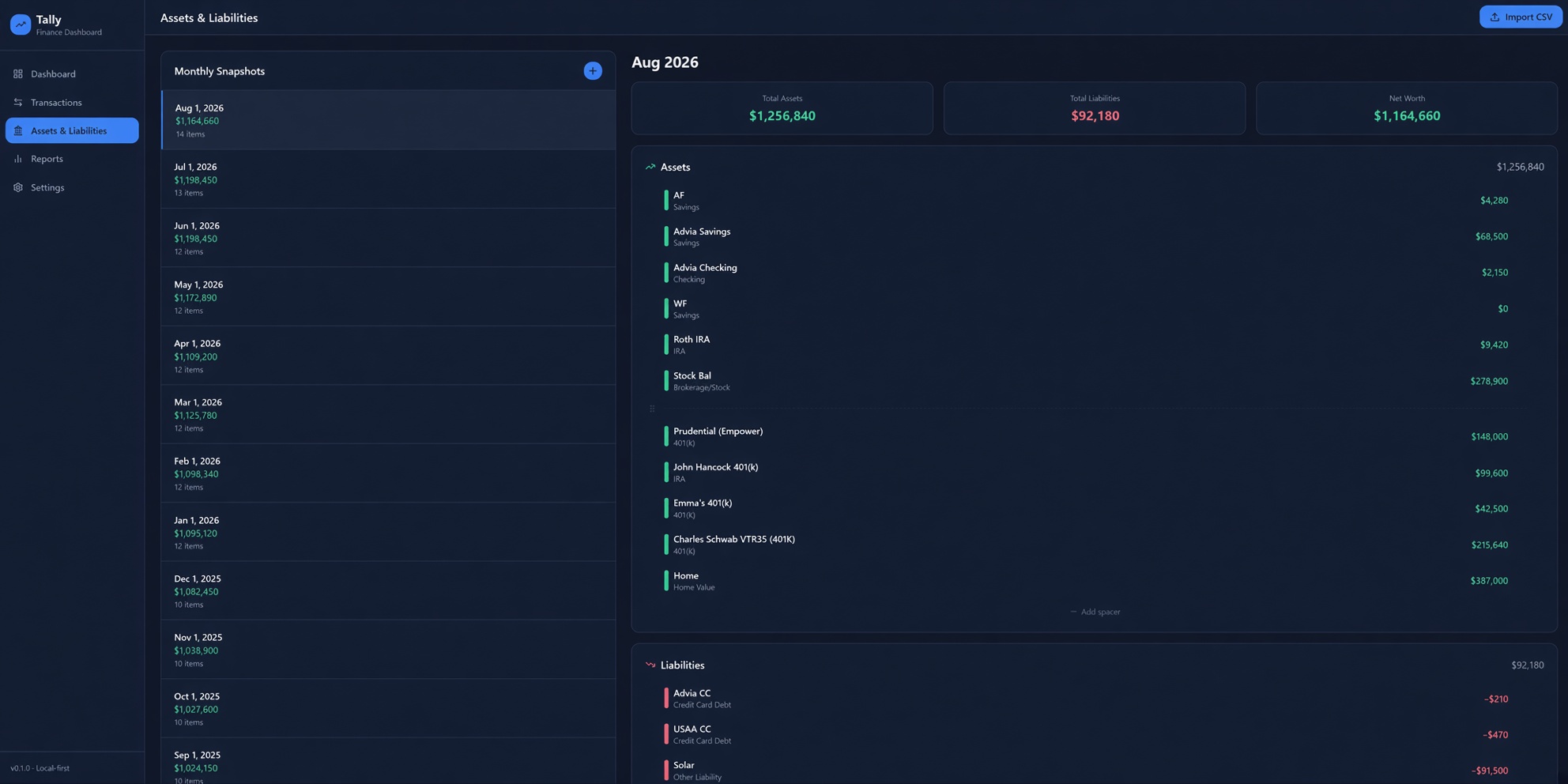
Assets and liabilities themselves are monthly snapshots. Checking, savings, IRAs, 401(k)s, the house, the cards, a solar loan if you have one. You update the balances when you feel like it. The page keeps a history down the side so you can step month to month and see what actually moved.
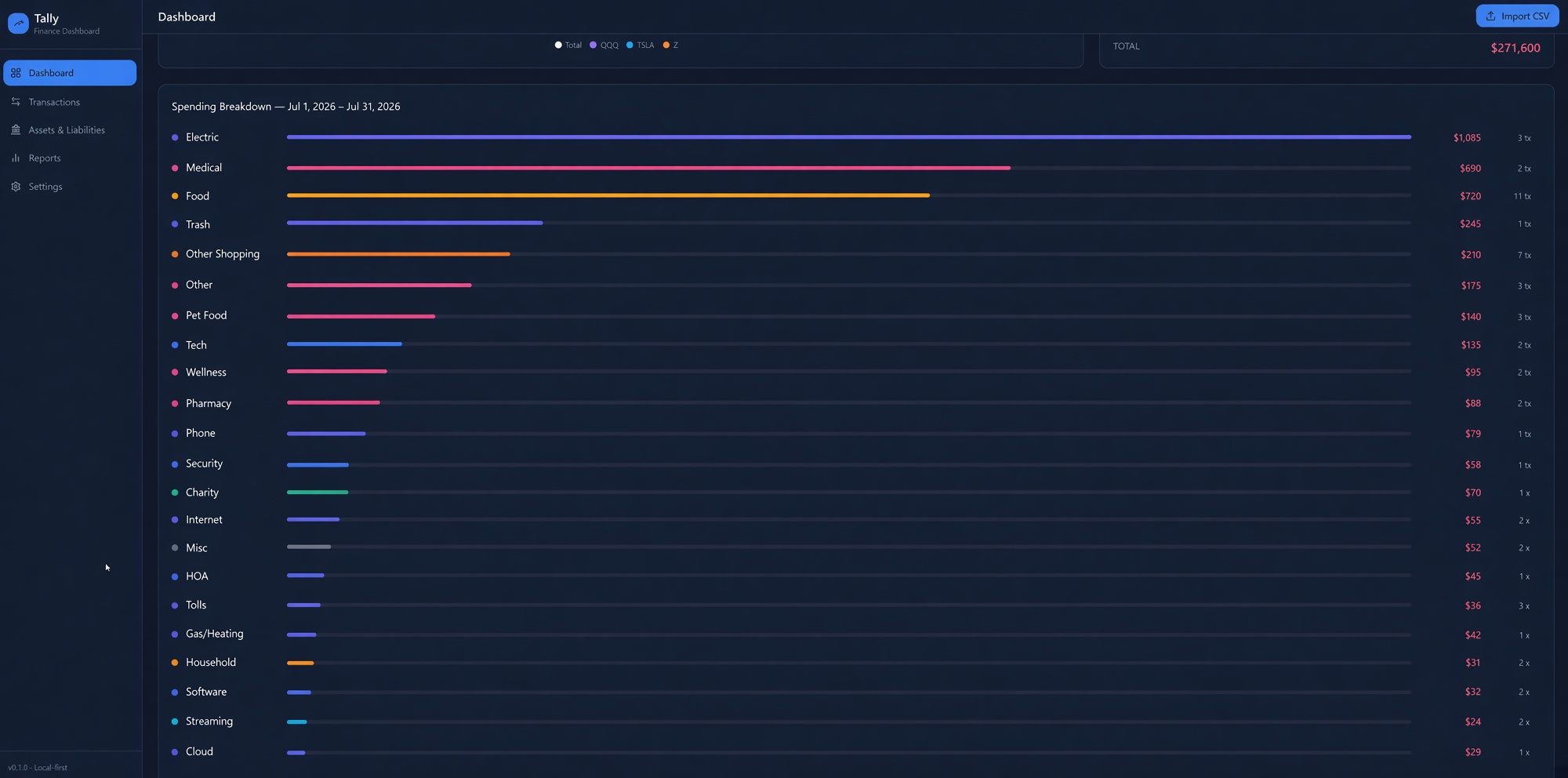
Spending is the other half. A breakdown for the selected range shows each category as a bar, with the dollar total and how many transactions sat underneath it. The donut on the dashboard is the same idea in compact form. I use it less for shame and more for whether this month looks weird.
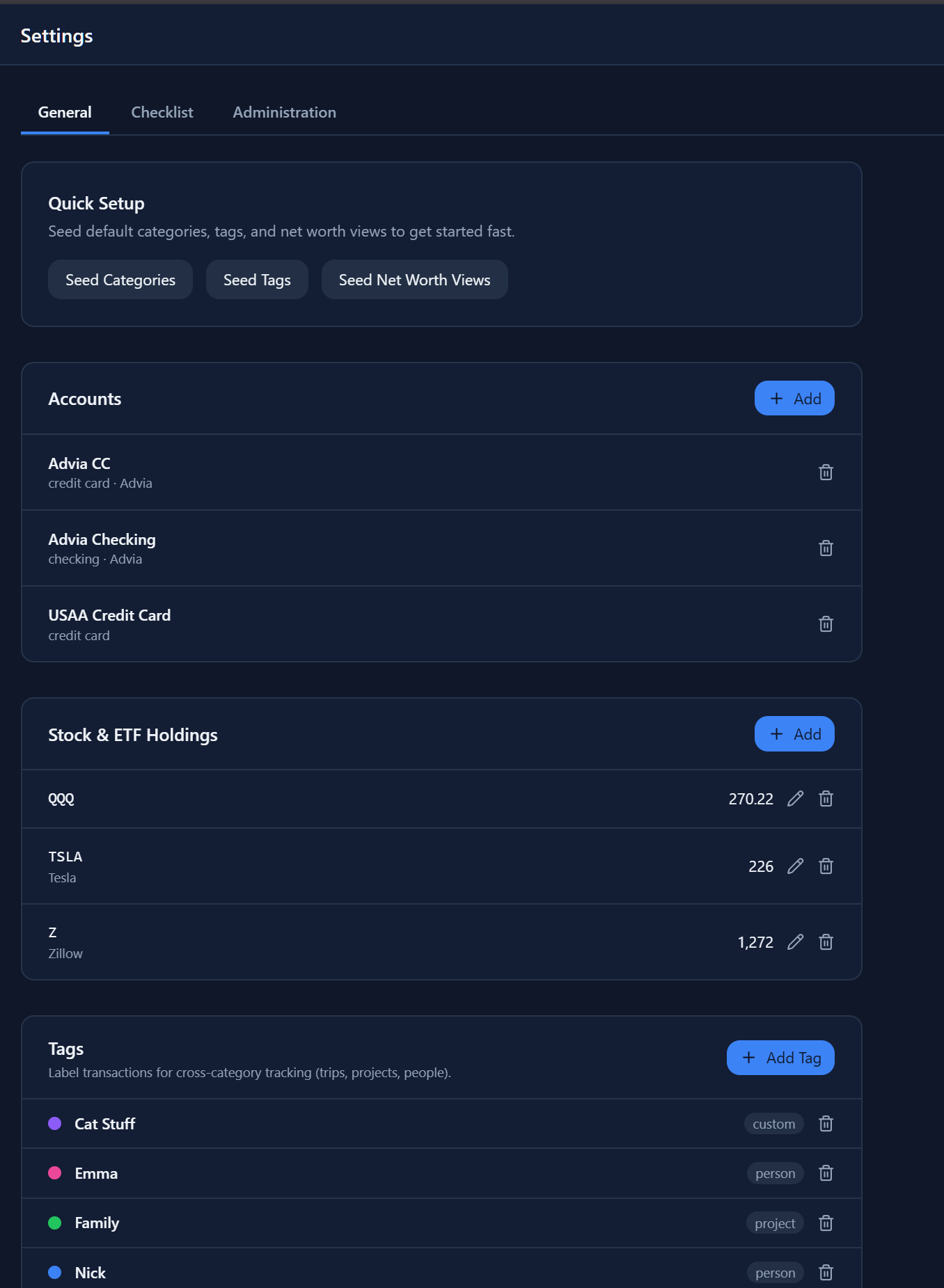
Brokerage holdings live in their own list. You enter the ticker and the share count. Tally pulls a current price so the position value is not last quarter’s guess. A small weekly chart sits under the main dashboard so you can see whether the portfolio drifted or just sat there.
Settings is the maintenance drawer. Seed a starter set of categories, tags, and those seven views if you are starting from zero. Add or delete accounts. Edit holdings. Rebuild the category tree.
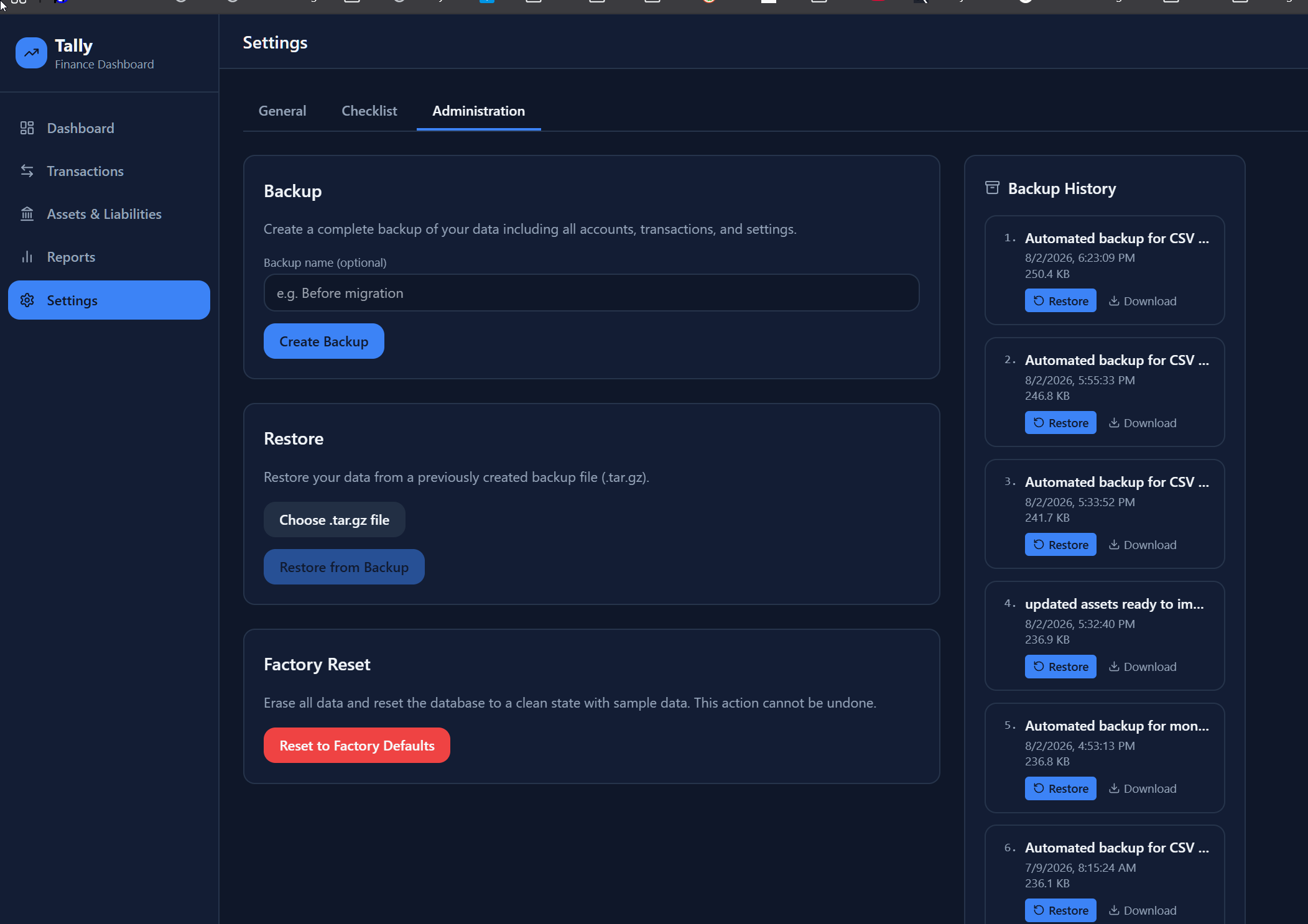
There is also an administration section for backups. You can make a named backup, restore from a file you kept, or roll back to one of the automatic copies it already saved. That matters more than it sounds when everything lives on one machine.
I did not set out to build finance software for the world. I set out to stop doing the same tidy-up every month and to have a private place that answered the questions I actually ask. Tally does that for me. If your version of the chore looks similar, the code is on GitHub at https://github.com/antonizick/tally. Use it, ignore it, or tear it apart. It was written to make one ordinary task smaller.